Objective
Build a always-on virtualization host that can run a realistic security stack — a SIEM, a DNS filter, and future additions like an IDS — on used-office-PC hardware, with deliberate choices about what runs as a container versus a full VM.
Tools & Technologies
- Dell OptiPlex 7070 SFF — Intel i7-9700 (8 cores), 32GB RAM, 512GB NVMe
- Proxmox VE 9.2 — Debian-based hypervisor with KVM virtual machines and LXC containers
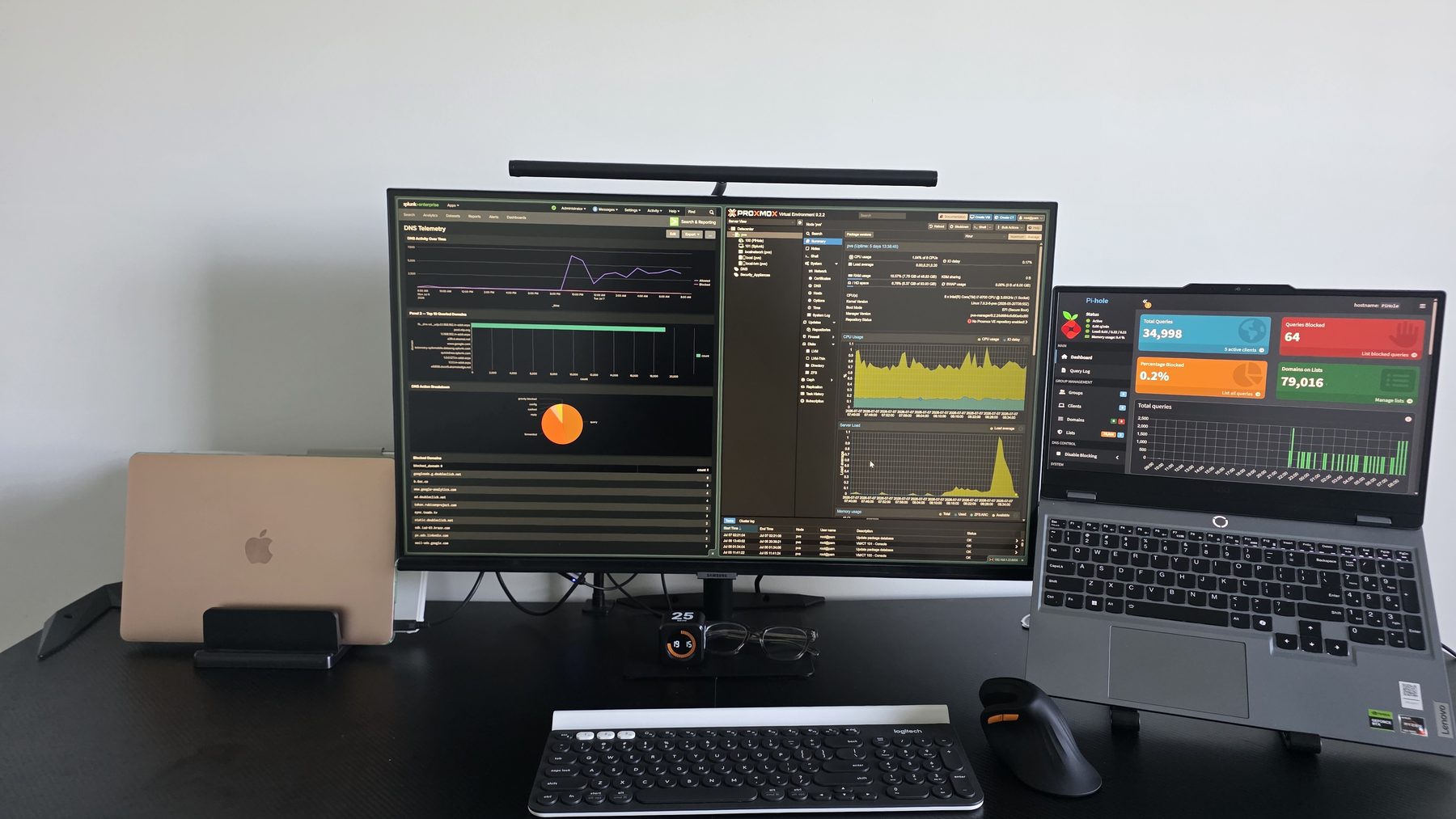
- Pi-hole on Debian LXC · Splunk Enterprise on a Linux VM
Architecture & Workflow
Proxmox VE (pve) — OptiPlex 7070 SFF
├── CT100  Pi-hole    · LXC · 1 vCPU · 512MB RAM · 192.168.1.4
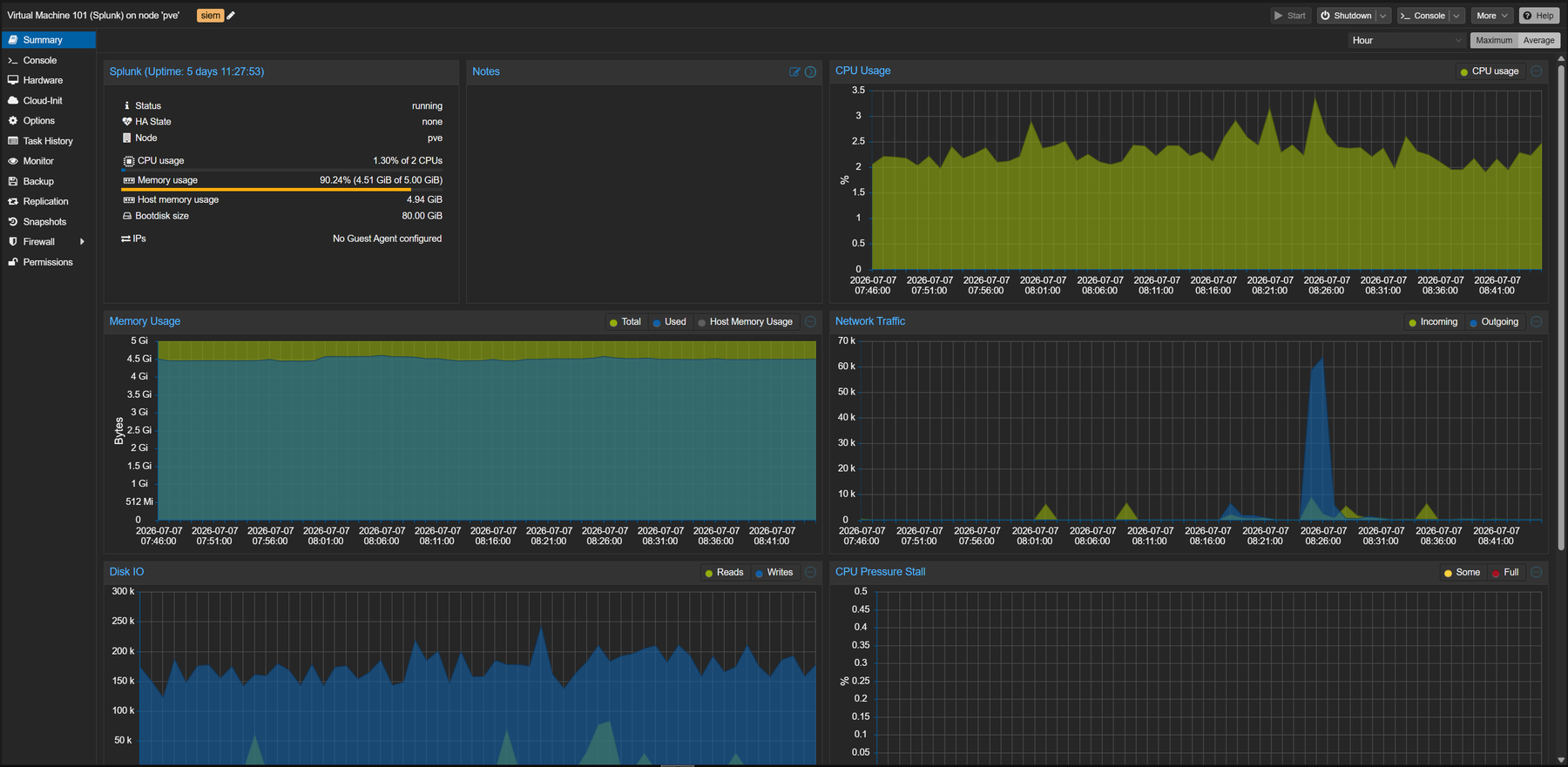
└── VM101  Splunk     · KVM · 2 vCPU · 5GB RAM · 80GB disk · 192.168.1.50
The design rule: LXC where the workload is a lightweight service, a full VM where the vendor expects a real machine. Pi-hole is a perfect container citizen — it idles at ~65MB of RAM serving DNS for the entire network. Splunk wants real memory, its own kernel, and disk it can manage — so it gets a VM.
What I Configured
- Proxmox VE installed on the NVMe with local-lvm storage for guest disks
- An unprivileged Debian LXC (CT100) for Pi-hole — unprivileged as a deliberate security choice, so container root ≠ host root
- A KVM VM (VM101) for Splunk Enterprise with 5GB RAM and an 80GB boot disk sized for index growth
- Static IP addressing for both guests so downstream log pipelines and DNS clients never chase a moving target
- Both guests configured to start on boot — the lab survives power cycles unattended
Evidence
Key Findings
- The container-vs-VM contrast is dramatic in practice: Pi-hole’s LXC uses 65MB of RAM to serve DNS for every device on the network; the Splunk VM sits near 90% of its 5GB allocation just idling with a day of indexed data. Right-sizing means knowing your workloads, not splitting resources evenly.
- 5+ days of uninterrupted uptime across host and guests with the host barely breaking 1–2% CPU — a used SFF office PC is more than enough compute for a serious learning lab.
- Splunk’s memory appetite means the next resource pressure point is RAM, not CPU — useful to know before adding an IDS VM.
Skills Demonstrated
Hypervisor installation and administration, LXC vs. KVM trade-off analysis, resource allocation and monitoring, unprivileged container security posture, static network planning for infrastructure services.
What I Learned
Virtualization choices are security choices. Running Pi-hole unprivileged, giving Splunk its own kernel boundary, and pinning static IPs aren’t just tidiness — they’re the same isolation and predictability arguments that shape production infrastructure.
Next Steps
- Second Pi-hole LXC (192.168.1.5) for DNS high availability
- Evaluate a Suricata deployment on the Proxmox bridge (vmbr0) for IDS coverage of guest traffic
- Scheduled
vzdumpbackups of both guests to external storage