The Homelab
A production-style detection lab I designed, built, and operate end to end — from flashing the router firmware to writing the Splunk field extractions. Everything here is real, running, and documented in the lab writeups below.
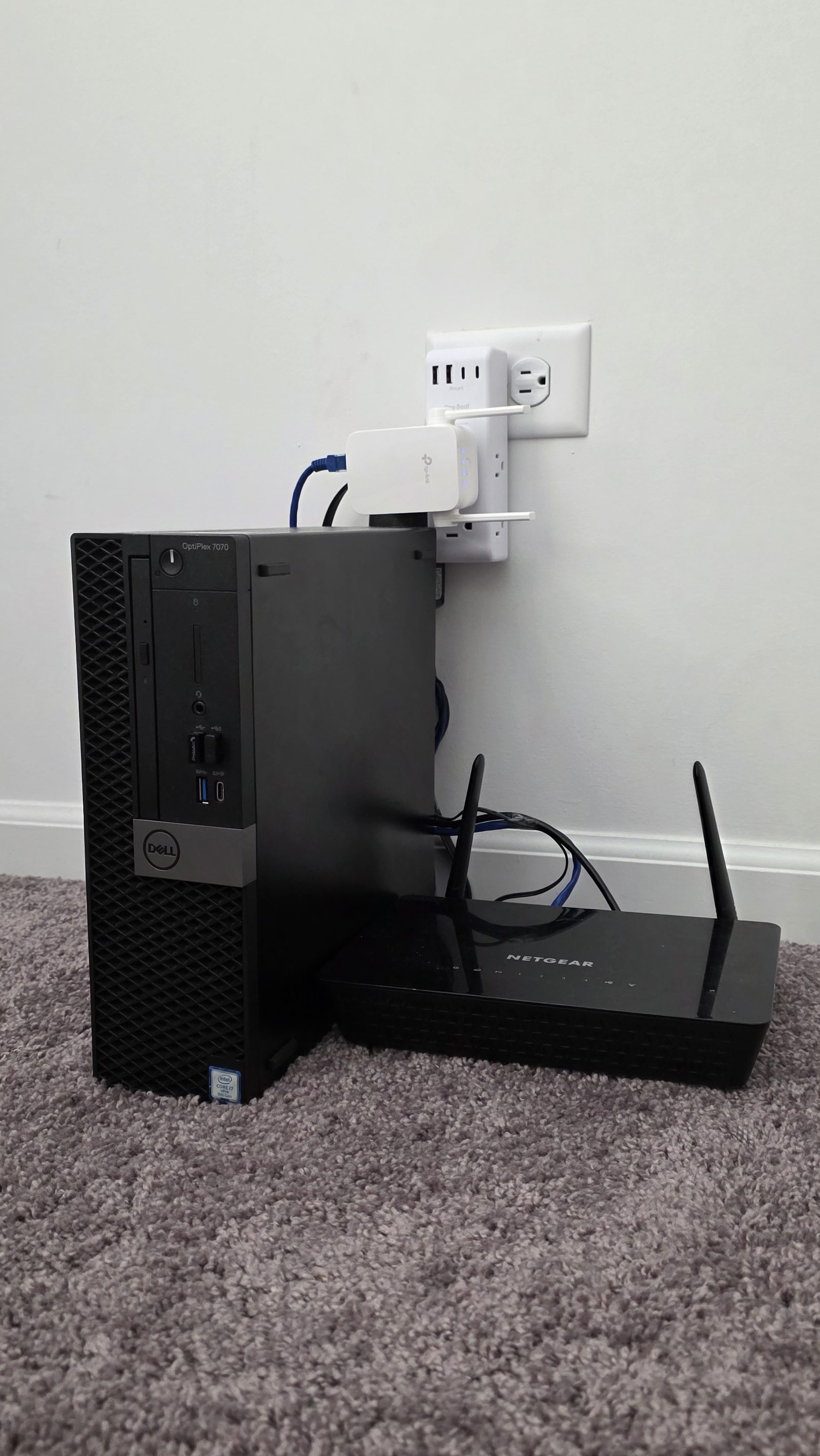
FIG A — Dell OptiPlex 7070 SFF (i7-9700 · 32GB RAM · 512GB NVMe), Netgear R6220 on OpenWrt, TP-Link RE750C wireless WAN uplink
This lab exists to close the gap between “read about it” and “ran it in production.” I use it for hands-on cybersecurity learning and testing: log pipeline engineering and SIEM dashboard development in Splunk, DNS-layer monitoring and filtering with Pi-hole, networking practice on OpenWrt (VLANs, firewall rules, packet capture), virtualization and resource management on Proxmox VE, vulnerability assessment, identity and access practice, and secure remote access design with Tailscale subnet routing and Cloudflare Zero Trust.
Two log pipelines currently feed the SIEM: OpenWrt router syslog arrives over UDP 514 (sourcetype=syslog), and Pi-hole DNS query logs are tailed by syslog-ng and shipped over UDP 515 (sourcetype=pihole) — both into index=home. On top of that data I build field extractions, detection searches, and dashboards the same way I would tune a production SIEM.
The roadmap keeps the lab growing: a second Pi-hole container for DNS high availability, NetFlow export from OpenWrt via softflowd, and network IDS with Suricata are next. Each completed stage becomes a full writeup below — objective, architecture, configuration, findings, and what I’d improve.
Building a Home SIEM: Pi-hole → Splunk DNS Log Pipeline
Shipping every DNS query on my network into Splunk over syslog, extracting fields with regex, and building a DNS telemetry dashboard — blocked vs. allowed activity, top domains, and per-client query patterns.
Proxmox VE Homelab Build: One Box, a Whole Security Stack
Turning a $150 Dell OptiPlex 7070 SFF into a virtualization host running the whole detection stack — Pi-hole in a lightweight LXC container, Splunk Enterprise in a full VM, with headroom for what’s next.
Flashing OpenWrt on a Netgear R6220 — via Telnet, When the Web UI Says No
Netgear’s stock firmware blocked the normal OpenWrt install path, so I flashed it the hard way: unlocking the hidden Telnet console and writing the squashfs kernel and rootfs images directly to the flash partitions with mtd_write.
Secure Remote Access: Tailscale Subnet Routing + Cloudflare Zero Trust
Two complementary paths into the lab with zero inbound ports: a WireGuard-based Tailscale overlay that routes the whole lab subnet, and Cloudflare Tunnel + Access for identity-verified, browser-only access to individual dashboards.
Phishing Email Prediction Using AI — Cybersecurity Capstone
My Lewis University capstone: an end-to-end phishing analysis system that parses raw emails, enriches them with VirusTotal threat intelligence, and applies LLM-based contextual risk scoring — with analyst-readable justifications in a Streamlit SOC dashboard.